Download got55 – The Easy Way to Install the Best Casino App on Android and iOS in Malaysia

Complete guide to downloading and installing the got55 app on all types of smartphones. The process is fast, secure, and completely free — done in under two minutes.

Free Download Android APK iOS PWA Safe & Trusted
~5MB
Android APK Size
<2 min
Installation Time
100%
Free to Download
24/7
Installation Support

Why Download GOT55?

Everything You Need to Know Before Downloading got55

Many Malaysia players still wonder — do I need to download the got55 app, or is it enough to just open the website from my phone browser? The answer is simple: downloading the got55 app delivers a far better, faster, and more secure playing experience compared to browsing the regular website on your phone.

Picture this: you're commuting to work, waiting at a clinic, or just relaxing at home with the TV on. With the GOT55 app installed on your phone, you can jump straight into your favourite slots, join a live baccarat table, or check the sports markets — all with just a few taps.

This GOT55 download page has everything you need: the correct download method for your phone type, minimum system requirements, clear installation steps, and tips to ensure the GOT55 app runs smoothly on your device. We've also included answers to frequently asked questions from new players.

One important thing to remember — only download the got55 app from this official page. Do not download the APK from third-party websites or links shared in unknown chat groups, as those files may have been tampered with and could compromise your phone's security.

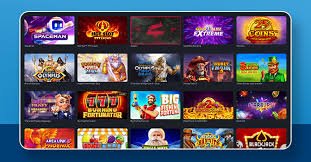
got55

Select Platform Download got55

Available for Android and iOS — choose based on your phone type

🤖

Download got55 for Android

Download the got55 APK file directly to your Android phone. Compatible with a wide range of brands including Samsung, Xiaomi, OPPO, Vivo, Realme, and others running Android 6.0 and above.

Android 6.0+ ~5MB Size Official APK No Root Required Free
Note: You need to enable installation from unknown sources in your device settings before installing the GOT55 APK.
Download APK Now

Install got55 on iPhone & iPad

IOS users install got55 using the Progressive Web App (PWA) method via Safari — no App Store or large file download required. The got55 icon will be saved directly to your iPhone or iPad home screen.

iOS 13+ iPhone & iPad No App Store Required Full Screen Free
Note: Use Safari only to install the GOT55 PWA. Chrome and Firefox do not support the "Add to Home Screen" function on iOS.
iOS Installation Guide

Android Guide

How to Download & Install GOT55 on Android

Follow the steps below carefully. Although there appear to be many, the entire process actually takes only about one to two minutes:

1
Open the GOT55 Download Page

Use your Android phone's default browser (Chrome, Samsung Internet, or Firefox) and visit the official GOT55 website. Navigate to the Download page and look for the Android APK download button.

2
Enable Installation from Unknown Sources

Go to your phone Settings > Security > enable "Install apps from unknown sources" or "Allow from this source". This step only needs to be done once.

3
Download the got55 APK File

Tap the download button and wait for the GOT55 APK file to finish downloading to your phone's downloads folder. The file size is small, so this usually completes within 10–30 seconds depending on your internet speed.

4
Open the APK File and Install

Find the GOT55 APK file in your Downloads folder, tap to open it, then tap "Install" when the installation dialog appears. Do not close the screen while the installation is in progress.

5
Open the App & Log In

Once installation is complete, the got55 icon will appear on your phone's home screen. Tap the icon, enter your account login details or register a new account, and start enjoying all got55 games.

got55
Android Installation Tips
  • Ensure your phone has at least 50MB of free storage space before downloading.
  • Use a WiFi connection for a faster and more stable download.
  • After installation, you can turn off the unknown sources setting again for added security.
  • If installation fails, try restarting your phone and reinstalling.
  • Make sure your phone's date and time are accurate to avoid SSL verification issues.
got55

IOS Guide

Installation Guide GOT55 on iPhone & iPad No App Store Required

IPhone and iPad users do not need to worry about got55 not being available on the App Store. The PWA method used by got55 lets you install and use the app with ease through the Safari browser:

Open Safari & Visit got55.bet

Make sure you are using the Safari browser on your iPhone or iPad — not Chrome or Firefox. Type got55.bet in the Safari address bar and tap Go to load the got55 site.

Tap the Share Icon at the Bottom of the Screen

At the bottom of the Safari screen, you'll see an icon that looks like a box with an arrow pointing upward — that's the Share button. Tap it and a menu will slide up from the bottom.

Select "Add to Home Screen"

Scroll down in the Share menu options list until you find the "Add to Home Screen" option. Tap it, name the icon got55, then tap "Add" in the top right corner.

GOT55 Icon Now on Your Home Screen

Done! The got55 icon is now saved on your iPhone home screen just like any app downloaded from the App Store. Tap the icon to open got55 in full-screen mode with no browser bar.

Log In & Start Playing

Enter your got55 account username and password, or register a new account by filling in your basic details. The entire registration process takes less than five minutes, and you are immediately eligible to claim your welcome bonus.

Key Features GOT55 App After Download

Everything you get as soon as the got55 app is installed on your phone

Fast Load, Low Lag

The GOT55 app is optimised for Malaysia's mobile networks. Slot games and Live Casino titles load in under three seconds even on a standard 4G connection.

🔐
Biometric Login

After downloading got55 on Android, you can use fingerprint recognition to log in. iPhone users can use Face ID — fast, convenient, and far more secure than a regular password.

🎰
Thousands of Slot Games

All slot titles from leading providers such as Pragmatic Play, PG Soft, Spadegaming, and many more are fully available within the got55 app without needing to open a separate browser.

🎥
HD Live Casino

Got55 live casino video streams are optimized for mobile screens in HD resolution. Enjoy baccarat, roulette and blackjack tables with real dealers, right from your phone.

🔔
Exclusive Bonus Notifications

After downloading the got55 app, you will receive push notifications directly to your phone whenever there is a new bonus, cashback offer, or limited-time promotion available for your account.

💳
Easy Deposits & Withdrawals

Manage your got55 account directly from the app — make deposits, request withdrawals, check your balance and track transaction history through a clean, easy-to-use interface.

Live Sports Betting

Follow your favourite sports matches and place live bets as the action unfolds — all available within the same GOT55 app.

📶
Data Saver Mode

Worried about burning through your data quota? Enable Data Saver mode in the GOT55 app settings to reduce mobile data usage while playing without compromising the overall experience.

🌐
Full Bahasa Malaysia Support

The GOT55 app interface is fully available in Bahasa Malaysia for local users. Switch between Bahasa Malaysia and English from your account settings at any time.

Technical Specifications

Device Requirements for Download & Install got55

Before starting the got55 download process, check that your phone meets the following minimum requirements to ensure the app runs smoothly:

Specifications Android APK IOS PWA Web Browser
OS Version Android 6.0+ IOS 13+ All
File Size ~5 MB No Files No Files
Minimum RAM 2 GB 2 GB 1 GB
Connection 3G/4G/WiFi 3G/4G/WiFi 3G/4G/WiFi
SSL Encryption ✔ 256-bit ✔ 256-bit ✔ 256-bit
Biometrics ✔ Fingerprint ✔ Face ID – None
Push Notifications ✔ Yes ✔ iOS 16.4+ – None
Full Screen ✔ Yes ✔ Yes – Limited
Auto Update – Manual APK ✔ Automatic ✔ Automatic
got55
Verified Compatible Phones
  • Samsung Galaxy S / A / M Series
  • Xiaomi / Redmi / POCO
  • OPPO / Reno / Find Series
  • Vivo / iQOO Series
  • Realme Series
  • iPhone 8 and above
  • iPad (6th generation and above)

Why Download?

Key Differences Between Using GOT55 App vs Standard Browser

More than just convenience — there's a real difference in the playing experience

Some players may think: "Isn't it easier to just open the got55 website from Chrome or Safari without downloading anything?" That is understandable, but there are several solid reasons why downloading the got55 app is the smarter choice for serious players:

First, in terms of speed. When you download and install the GOT55 app on your phone, core interface data such as icons, buttons, and page layouts are stored locally. This means every time you open the app, it doesn't need to reload all visual elements from the server from scratch. The result? Games load faster, the interface feels more responsive, and you get into your favourite games with less waiting.

Second, in terms of security. When you log in to the GOT55 app using your fingerprint or Face ID, authentication happens directly on your device without sending any biometric data to any server. This differs from logging in via a regular web browser, where your password can be exposed to various risks including phishing, keyloggers, or browsers that save passwords in insecure locations.

Third, in terms of the full-screen experience. Anyone who has tried playing casino or slot games through Chrome on their phone knows how disruptive the address bar, browser tabs, and bottom navigation bar can be, eating into your screen space. With the got55 app, all of that disappears — you get full-screen mode entirely dedicated to your game, just like a real mobile gaming app.

Fourth, exclusive bonus notifications. Only users who have downloaded the GOT55 app are eligible to receive push notifications directly on their phones. This means you'll never miss a limited-time bonus offer, weekly cashback promotion, or special reward released by GOT55 from time to time.

In short, if you play got55 more than two or three times a week, downloading the got55 app is absolutely worth it. Installation takes under two minutes, and you will feel the difference every time you play from that point on.

Frequently Asked Questions About got55 Download

Answers to the most frequently asked questions about the download and installation process

Yes, the got55 APK file provided on this official page has undergone rigorous security testing and is completely free from malware, viruses or malicious code. As long as you download exclusively from got55.bet and not from third-party websites or unknown chat group links, your phone's security is fully guaranteed.

Current Google Play Store and Apple App Store policies do not allow real-money gaming apps to be published on their platforms for certain markets. For this reason, GOT55 provides an Android APK for direct download and a PWA method for iOS as fully legitimate and secure alternatives. This approach is actually faster since app updates don't need to go through a lengthy review process.

The GOT55 APK file for Android is only about 5MB — tiny compared to most other gaming apps that can run into hundreds of megabytes. After installation, the GOT55 app may use a little extra space for cache data, but the total remains within 20–30MB. For iOS PWA users, no storage space is used at all since all data is loaded from the server.

Yes. You can install the GOT55 app on as many devices as you like and log in using the same GOT55 account. This is handy if you switch between a personal phone and a tablet. However, simultaneous active sessions on more than one device at the same time are not permitted for account security reasons.

For Android, when a new version of got55 is available, you will receive an in-app notification or push alert. Simply re-download the latest APK from this page and install it as usual — your account data will not be deleted. For iOS PWA, updates happen automatically in the background each time you open the app with an active internet connection.

First, make sure you have enabled installation from unknown sources in your phone's security settings. Second, check that your phone has sufficient storage space. Third, try deleting the downloaded APK file and re-downloading a fresh copy from this page. If the issue persists, restart your phone and try installing again. If none of these steps work, contact GOT55 customer support via live chat, available 24/7.

Data usage depends on the type of game. Regular slot games use approximately 5–15MB per hour — very economical. Live Casino with HD video streaming uses considerably more data, in the range of 200–400MB per hour. got55 offers a data saver mode in the app settings that can reduce Live Casino data usage by 40–60% without significantly affecting gameplay.

Ready? Download got55 Now and Start Playing!

Join hundreds of thousands of Malaysia players who have experienced the difference of playing through the got55 app. Free, fast, and secure.

Bahasa Melayu